A1.1: Design Report (S2 2025)
Hello, dear friend, you can consult us at any time if you have any questions, add WeChat: daixieit
A1.1: Design Report (5%) - W3-Fri (S2 2025)
Instructions
SUBMISSIONS DUE ( Moodle):
Friday, 15 August 2025, 11 :55 PM
Instructions
Select a project option from the project-types presented in Assessment Overview.
Write a 5-6 page report (PDF) with the following sections and contents using the provided submission template.
0. Download submission template: Click on this link and make a copy of the submission template
https://docs.google.com/document/d/1JCFXYwkwJs-kY-
Ej DW1Dc9JtsdbEtqRCRcCn3CD4_N0/copy
Fill in the following sections, and when you are fi ni shed and ready to submit, export as PDF and upload to Moodle.
1. Executive Summary (300-400 words): A brief overview of the project, including the client’s objectives, target audience, and the primary goals of the web application. You are expected to be doing some original research on different websites to get fresh ideas about the project (see Assessment spec for more information).
2. User Personas (600-800 words): Develop 2-3 detailed user personas representing typical users of the website. Include:
. Demographics
· Goals and needs
· Pain points
· How the web application will address their specific requirements
Check the next section, called "How to: User Personas" for more hints on how to do this.
3. Sitemap (1 page): Create a comprehensive sitemap using a tool like Draw.io or Lucidchart. Include:
. All main sections and sub-sections of the web application
. Clear hierarchy and relationships between pages
· Brief descriptions of each main section's purpose
4. Wireframes/Low-fidelity Prototype (2-3 pages): Include early sketches or wireframes that show the basic layout and interface elements of the web pages. Wireframes are crucial for visualizing the structure before detailed design.
Pick any 2 BRs and focus on them for this section - it is beyond the scope of a prototype to create wireframes for every single BR.
Hints: use easy-to-use tools like Lucidchart or Draw.io if you want to learn how to do sitemaps or wireframes. Neat hand-drawn sketches are also acceptable.
Lucidchart: https://www.lucidchart.com/pages/wireframe
Draw.io https://www.drawio.com/
Figma: https://www.figma.com/templates/wireframe-kits/
Sitemap: https://www.lucidchart.com/blog/how-to-make-a-sitemap-using-lucidchart
If you want to really stretch yourself and use tools in industry, then explore tools like Figma.
How to: User Personas
Your user personas should be detailed enough to guide your design decisions. Include demographics, goals, pain points, and specific scenarios of how they might use your application. Aim for 200-300 words per persona. See some examples below:
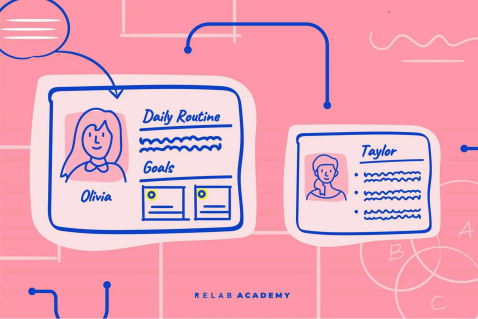
HOW: You can use Powerpoint or Google Slides or even do it with pen/ paper (or if you prefer a more industry-approach, you can use design tools like Figma/ LucidChart).
2025-08-14